

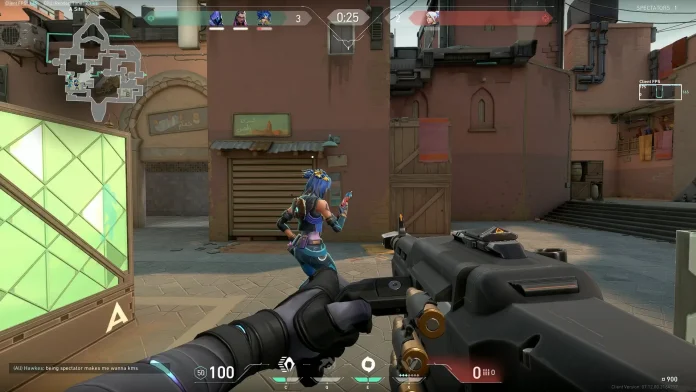

Valorant is one of the most popular tactical FPS games, and many players often ask the same question: how to change FOV in Valorant. Field of View (FOV) plays an important role in FPS games because it affects how much of the game world you can see on your screen. However, Valorant works a bit differently compared to other shooters. In this article, we’ll clearly explain whether you can change FOV in Valorant, why Riot Games has locked it, and what settings you can adjust instead for a better experience.
Can You Change FOV in Valorant?
The short answer is no. Valorant does not allow players to change FOV manually. Riot Games has locked the FOV at around 103 degrees for all players. This means everyone plays with the same viewing angle, regardless of their PC, monitor size, or settings.
Why Valorant Does Not Allow FOV Change
Riot Games has intentionally locked the FOV to maintain competitive fairness. Since Valorant is a highly competitive tactical shooter, allowing players to change FOV could give an unfair advantage.
Here are the main reasons:
- Same visual experience for all players
- No advantage from wider or narrower vision
- Balanced gameplay in ranked and esports matches
- Easier to detect enemies at consistent distances
By locking the FOV, Riot ensures that skill, aim, and game sense matter more than settings.
Read More: How to Uninstall Riot Client Completely: Check all Steps
Is There Any Way to Increase FOV in Valorant?
There is no official or safe way to increase or decrease FOV in Valorant. Using third-party software, config file edits, or external tools to change FOV is not allowed and can lead to account bans. Riot’s anti-cheat system, Vanguard, is very strict about such modifications. So if you see guides or videos claiming to unlock FOV, it’s best to avoid them.
Settings You Can Adjust Instead of FOV
Even though you can’t change FOV, you can still tweak other settings to make the game feel smoother and more comfortable.
- Resolution
Lower resolutions can make enemy models appear bigger, while higher resolutions give a cleaner look. Choose what feels best for your aim.
- Aspect Ratio
Switching between 16:9, 4:3, or 5:4 (with letterbox or fill) can slightly change how the game feels, even though the FOV stays the same.
- Crosshair Settings
A good crosshair can massively improve your visibility and aim consistency.
- Graphics Quality
Lowering visual effects can help you spot enemies more clearly and improve FPS.
Does Monitor Size Affect FOV in Valorant?
No, monitor size does not change FOV. However, larger monitors can feel more immersive because objects appear physically bigger, even though the actual FOV remains the same.
If you’re searching for how to change FOV in Valorant, it’s important to know that Riot Games has locked this feature to keep the game fair for everyone. While you can’t directly adjust FOV, optimizing your resolution, aspect ratio, and graphics settings can still improve your overall gameplay experience. Valorant is designed around skill and strategy, not setting advantages, so focus on improving aim, positioning, and game sense.
