


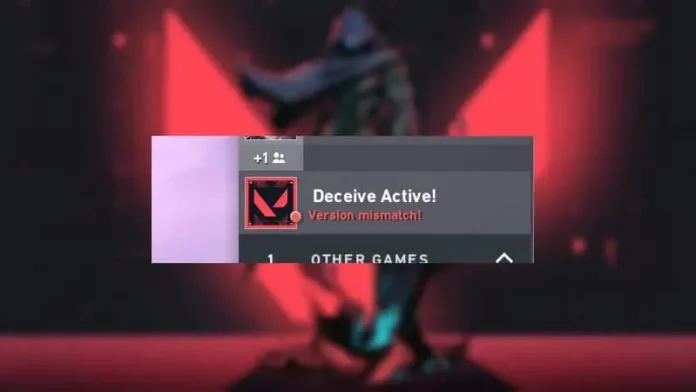

The Valorant version mismatch error is one of the most common errors competitive players face, especially when patch updates occur. This error occurs if your game client becomes unsynchronized from the current version running on the server, making it impossible to queue for matches and disrupting your flow of competitive play. The good news? The fix is pretty straightforward, and you’ll be right back into it within minutes.
In this article, we’ll take a look at everything you need to know about the Valorant version mismatch error and how you can solve the issue.
What is Valorant Version Mismatch Error
Version mismatch errors usually happen right after the release of new patches or when you try to start Valorant without downloading the freshest client updates. These may be due to an outdated game client, unstable internet connection, or corrupted game files. The error is actually a kind of protection. Outdated clients get refused by Riot’s servers to maintain game integrity and prevent compatibility issues throughout the competitive ecosystem.
How To Fix Valorant Version Mismatch Error
Let’s begin with the easiest solution. Completely close down Valorant, open your Riot Client again, and let it install the most recent patch automatically. This instantly fixes 80% of version mismatch issues. Once you are updated, fire up the game and you are generally good to go.
If the first update does not work, repair your game files. Open the Riot Client and access your profile settings. Select Valorant and click the “Repair” button. This process will scan your game directory and replace any corrupted or conflicting files, without requiring you to do a full reinstall.
If you are still facing the error, reboot your PC. Sometimes, Windows neglects to properly read updated files, and the simple reboot clears temporary caches that cause the error.
If all the steps so far do not work, consider reinstalling Valorant. Though it is time-consuming, a fresh install will make sure everything is set up correctly. First, uninstall both the Riot Client and Valorant, then download a fresh copy from the official website.
Remember that patch updates roll out regionally in phases. Patience is your only ally if your region hasn’t received the latest update yet.