

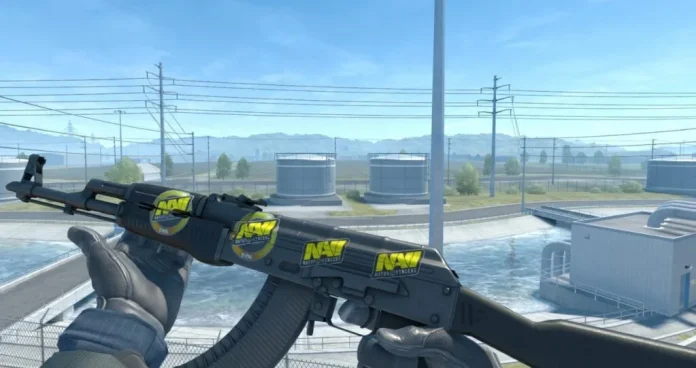
Whether you bought yourself a brand-new weapon skin from the Steam Market and received it with a set of stickers you don’t really like, or you’re just looking to apply a borderless version of a Major autograph sticker on your favorite gun, knowing how to scrape stickers in CS2 is certain to come in handy.
Scraping stickers in Counter-Strike 2 allows players to either partially wear down or completely remove stickers from their weapon skins, enabling them to clean up unwanted designs and make room for new ones. Since each weapon in CS2 can only hold up to five stickers at a time, you’ll occasionally find yourself needing to remove a sticker or two to apply some fresh ones to your trusty AK-47.
If you’re confused about how to scrape stickers in CS2 and don’t want to ruin your skin by accidentally pressing the wrong button, we’ve got you covered.
In this article, we’ll go through all the steps that you need to follow to scrape stickers in CS2.
How to Scrape Stickers in CS2: Step-by-Step Guide
Following the recent changes to stickers in CS2, scraping has become not only easier but also more customizable than ever. Players can now select the exact percentage of scrape that they want on their stickers, which is especially useful when you’re trying to get rid of the borders from a team logo or an autograph sticker.
But how exactly do you scrape stickers in CS2?
Below, we’ve listed all the steps that you need to follow to scrape stickers in CS2:
- Launch CS2 and go to your inventory.
- Find the weapon skin that contains the sticker that you wish to scrape.
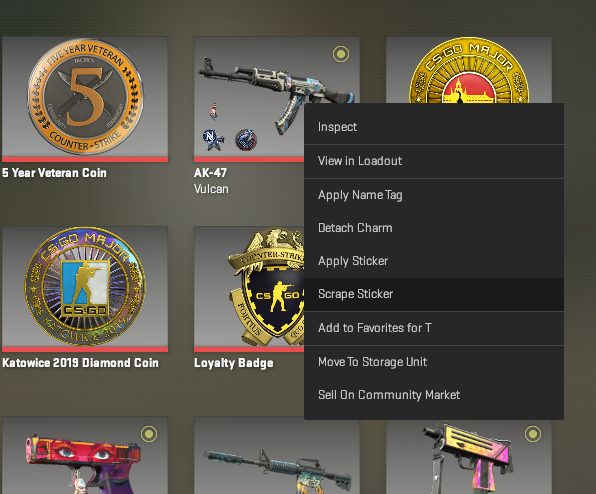
- Right-click the skin and select ‘Scrape Sticker’ from the context menu that appears.
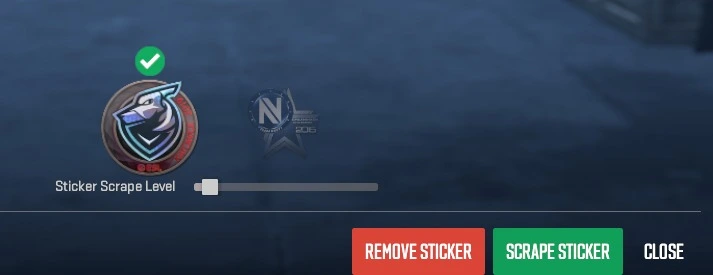
- Select the sticker that you want to scrape, and move the slider to your desired percentage.
- Press the ‘Scrape Sticker’ button located at the bottom of the screen to confirm the scrape. You can also choose to remove the sticker from the gun entirely by pressing the ‘Remove Sticker’ button.
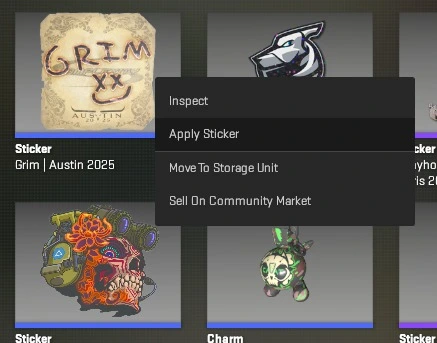
Now, what if you have a sticker that isn’t already applied to a gun?
If you wish to apply the scraped version of a sticker on your weapon, you can right-click on it from your inventory to open up the context menu and hit ‘Apply Sticker’.
Once done, select the skin that you want to place the sticker on, and you’ll be prompted to select the placement and scrape value of the sticker.
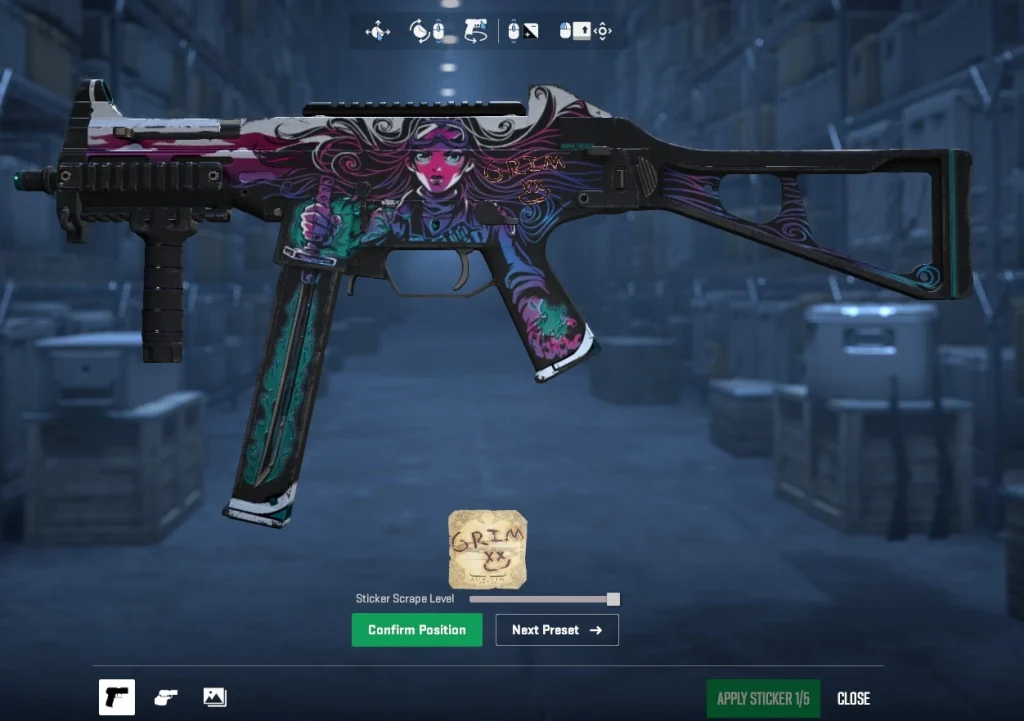
Once the placement and scrape percentage are to your liking, hit ‘Confirm Position’ and apply the sticker to your gun.
And that wraps up our guide on how to scrape stickers in CS2. Have fun customizing your skins and spicing up your inventory!

