

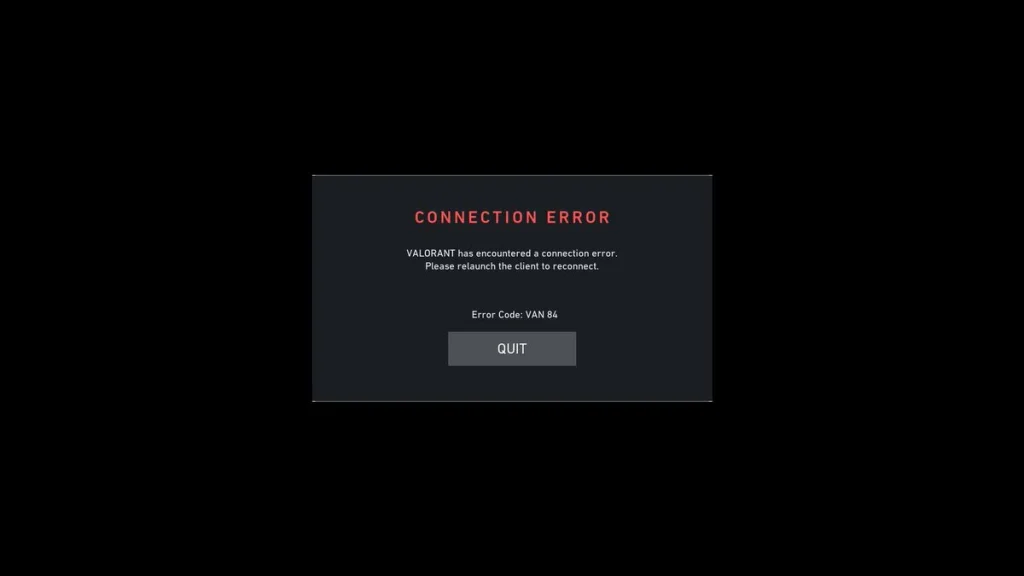
The “Valorant VAN 84 error” is a connection problem that exists between your client and the Riot servers. Most likely, it happens due to Vanguard or network issues. Players are left abruptly disconnected with a consequence of being marked AFK.
VAN 84 error occurs from three primary sources. The failure of the Riot Vanguard service function, congestion on the servers during peak times, or poor network connection integrity. Code 84 differs from most other VAN errors in that it indicates that your program cannot establish a secure connection via the authentication system used by Vanguard.
How to Fix VAN 84 Error?
Start with these essential troubleshooting steps before attempting advanced solutions:
- Restart your PC and network equipment – Power cycle your router and modem for 30 seconds, then reboot your computer. This resolves temporary network glitches and clears the Vanguard cache.
- Check server status – Verify Valorant’s official status page and DownDetector before attempting technical fixes. Server maintenance or outages cause widespread VAN 84 reports.
- Reset your IP address – Open Command Prompt as administrator and execute these commands sequentially:
- ipconfig /release
- ipconfig /renew
- ipconfig /flushdns
Advanced Network Configuration
If basic fixes fail, adjust your network settings:
- Disable IPv6: Navigate to Network Adapter Settings and uncheck IPv6 (TCP/IPv6) in adapter properties
- Change DNS servers: Switch to Google DNS (8.8.8.8 and 8.8.4.4) through Network Settings
- Update network drivers: Check Device Manager for outdated network adapter drivers
Firewall and Security Exceptions
Overly restrictive firewall settings block Vanguard communication. Add Valorant.exe and Vanguard to your firewall’s whitelist, enabling both Private and Public profiles. If using third-party antivirus software, temporarily disable network filtering to test connectivity.
Clean Reinstall
When all methods fail, uninstall both Valorant and Riot Vanguard completely, restart your PC, then reinstall from the official website. This eliminates corrupted installation files blocking authentication.
If VAN 84 persists after these solutions, contact Riot Support directly. Document your troubleshooting steps, include screenshots, and reference your region for faster resolution.

