



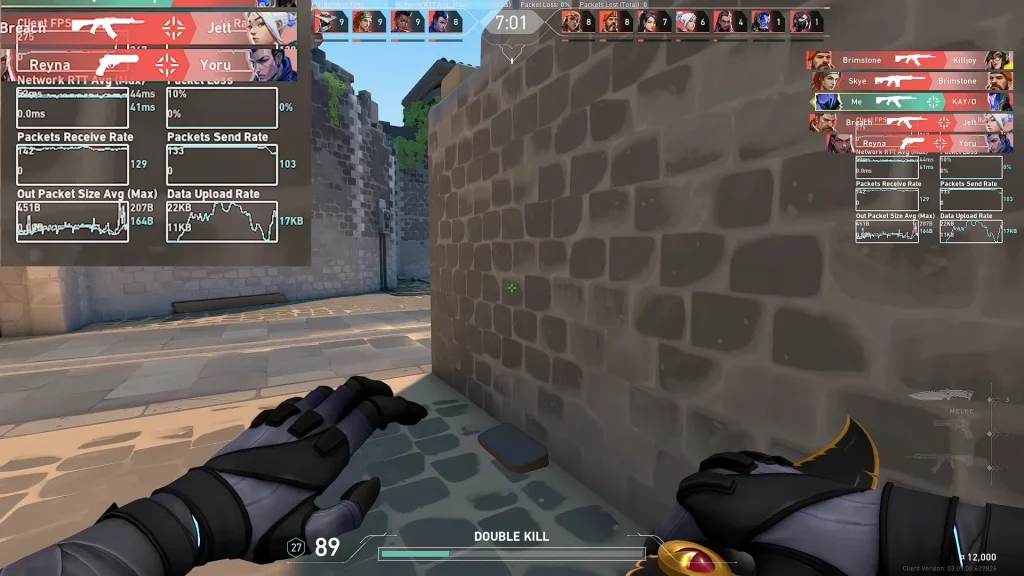
Every other issue in Valorant is on one level, but packet loss is on an entirely different level. It doesn’t show an error. There’s just a graph going up and down in the corner. Most importantly, this makes the in-game experience most awful. In this article, we will explain how to fix it easily. First, let’s start with what packet loss actually is.
Packet loss is your PC sending data to Riot’s servers, and some of those data packets not making it, causing rubber banding, teleporting, and the dreaded network error icon. Most often, this is because your network is congested, your hardware is dodgy, or your software is misconfigured.
How to Fix Valorant Packet Loss
Primarily, restart your router and PC, and turn off Wi-Fi and connect via Ethernet, as this is a major cause of packet loss, even on high-speed connections. Also, try closing any programs that use excessive bandwidth, such as streaming, downloads, or cloud backups. If your household is on the same line, try using the line outside peak hours.
For Windows, go to Settings, then Network & Internet, and run the built-in network troubleshooter, which can fix many issues with your network adapter automatically. Many users also report success in fixing their issues by disabling IPv6 on their network adapter, setting their DNS to Google’s 8.8.8.8 and 8.8.4.4, flushing their DNS using “ipconfig /flushdns” in Command Prompt, and then restarting their PC.
Finally, ensure your network drivers are up to date, and if none of this helps, try resetting your network in Windows, which resets your network adapters and clears any bad configurations.
To verify this, you can check the graph of Valorant’s network graph to ensure this loss is not a short, sharp peak but a continuous process. If all hops outside your local area network are losing packets, then you are probably experiencing an issue with your ISP, so try to get your provider to investigate this problem. If nothing local is amiss, then try working through Riot’s official guide on connecting, and if you are still having issues, try opening a support ticket with your logs attached.
