

Marvel Rivals features a full-featured cross-progression system that allows players to link their accounts across every platform and share progress seamlessly. No matter if you’re playing on PlayStation, Xbox, PC-Steam, PC-Epic Games, or using the Loading Bay launcher, this walkthrough covers every step of the account linking process in detail.
Cross-progression for Marvel Rivals works across the Epic Games Store, Steam, Loading Bay, PlayStation, and Xbox. Once you link them together, you can log in through any one of these platforms and get access to your same character, including all your competitive rank, collections, and paid content.
How to Connect Marvel Rivals Accounts In-Game
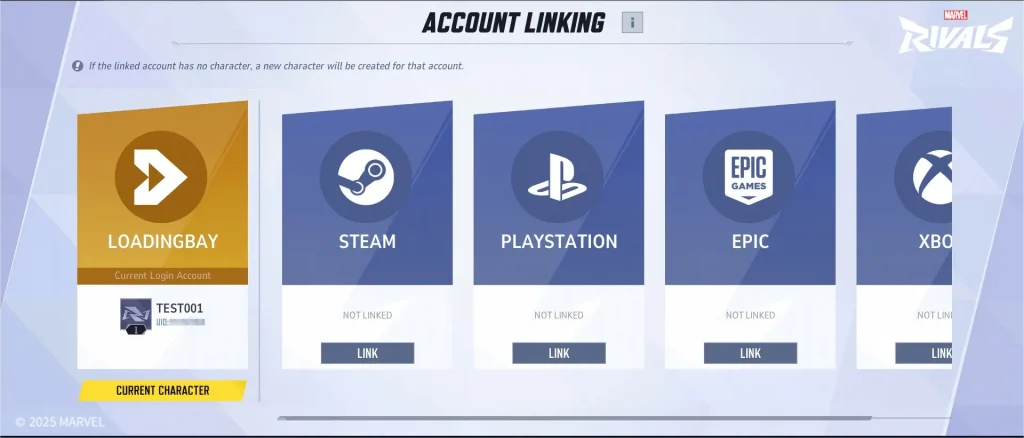
The main way to link your Marvel Rivals accounts is through the in-game settings menu:
- Open Marvel Rivals and from the main screen go to the Settings menu.
- Select the Other tab under settings.
- Scroll down to locate Account Linking – also known as “Account Binding” or “Account.”
- Select the platform you wish to connect to, other than your current login platform.
- A QR code will appear for console players, which you can scan to sign in with your platform credentials
- Complete account verification, then wait for the binding to complete
How to Connect Marvel Rivals Accounts In-Game Through the Official Website
You can also link accounts via the Marvel Rivals website, which is especially helpful to connect external services like Twitch:
- Visit the Marvel Rivals website at marvelrivals.com
- Click the Login button in the top right corner.
- Choose your gaming platform: Steam, PlayStation, Xbox, Epic Games, or NetEase
- Enter your platform credentials to authenticate.
- Once logged in, click your profile icon and select My Account.
- Then go to Connections to manage linked platforms.
When you link two accounts together that both have characters, Marvel Rivals will have you designate a primary character. This is important, as this character becomes available across all linked accounts, retaining all progress, cosmetics, Units Currency, Lattice Currency, and Battle Pass progress. Characters that aren’t picked as a primary are stored but remain unavailable until you switch.
There are also various cooldowns and limitations to consider. Switching to your main character incurs a one-hour cooldown period. If an account is unlinked, there is a 180-day cooldown until that platform is able to be linked with other accounts security feature in place to prevent account trading. You can also only bind one PSN account at any given time due to PlayStation’s virtual asset transfer policy, though you are able to relink to your original PSN account after unlinking it.

, PS5, and Xbox using in‑game Account Linking and the official website.)