


When you first log into Valorant or any other Riot Games title, you’ll have to assign a Riot ID to your account, which is then treated as your username in games. But what if you don’t like your initial selection and wish to change it in the future? Can you even change your name in Valorant?
Luckily, Riot enables players to change their name in Valorant, albeit with a few restrictions, so you won’t be stuck with the name you initially put as your Riot ID. However, there’s no in-game option for players to change their Valorant names, and they’ll have to resort to the Riot Games website instead.
In this guide, we will walk you through everything you need to know about how to change your name in Valorant.
Valorant Name Change Guide
Changing your name in Valorant is extremely easy once you know how to do it properly, and takes no more than a few seconds to complete once you’re aware of all the restrictions surrounding it.
As mentioned earlier, changing your name in Valorant requires you to change your Riot ID, which in turn will also change your name in other Riot Games titles like League of Legends or 2XKO.
With that being said, here’s how you can change your name in Valorant:
- Go to the official Riot Games account page.
- Log in with your username and password or via any of the connected social media platforms.
- Under the ‘Account Management’ section, look for the ‘Riot ID’ tab.

- Once there, you’ll be able to change your game name and tagline as per your liking.
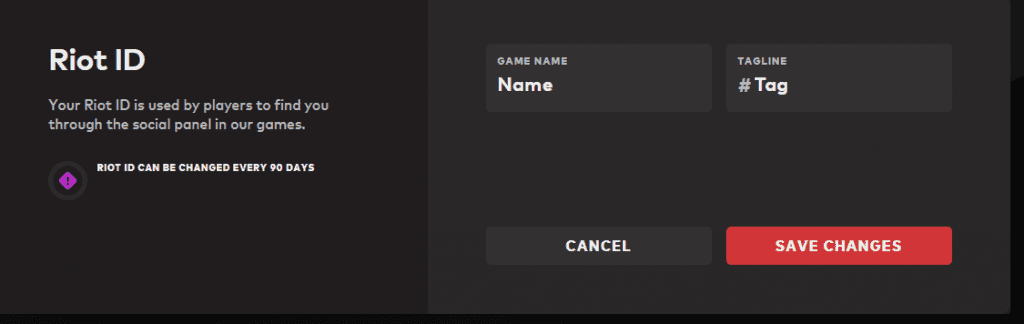
- If you’re happy with your new name and tagline, hit ‘Save Changes’ to confirm your new Valorant name.
Now all you need to do is restart Valorant to see your new name in effect. Note that your new Riot ID may take a few minutes to appear in-game, so don’t panic if you don’t instantly see the change.
Riot ID Restrictions
There are certain restrictions that you have to keep in mind when changing your Riot ID and assigning a new one. Take a look at them below:
- Your Game Name must be 3-16 alphanumeric characters.
- Your Tagline must be 3-5 alphanumeric characters.
- You can only change your name once every three months.
- Your Riot ID cannot include offensive language, hate speech, slurs, or references to violent/illegal/sexual content.
That’s everything you need to know about how to change your name in Valorant. In fact, you can use the same method to change your name in every Riot Games title out there, but keep in mind that you’ll be stuck with your selection for at least three months.

